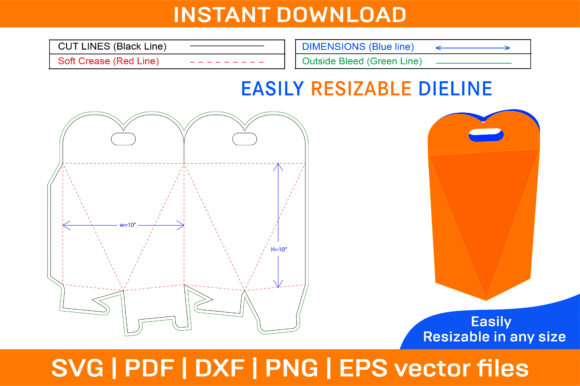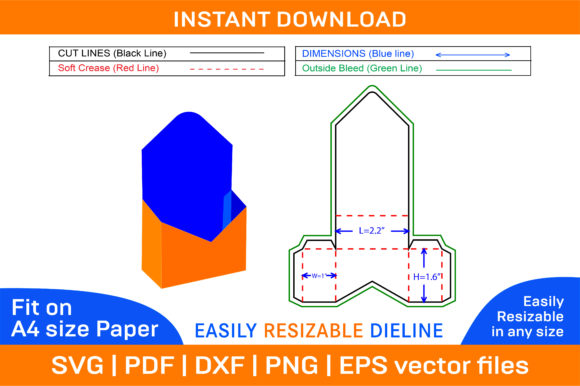
Gift Box Envelope Type Die Cut Template for Graphics and Print Templates
I recently received a request from a client who runs a boutique skincare line. They were launching a limited-edition holiday set and needed packaging that felt luxurious yet approachable. The brief was specific: they wanted the unboxing experience to feel like receiving a letter, intimate and elegant, rather than just another box on a shelf. This is where I turned to a Gift Box Envelope Type Die Cut Template. After spending several hours integrating this asset into the final presentation, I have formed a clear opinion on its utility for professional design work.
The First Impression of Visual Mood
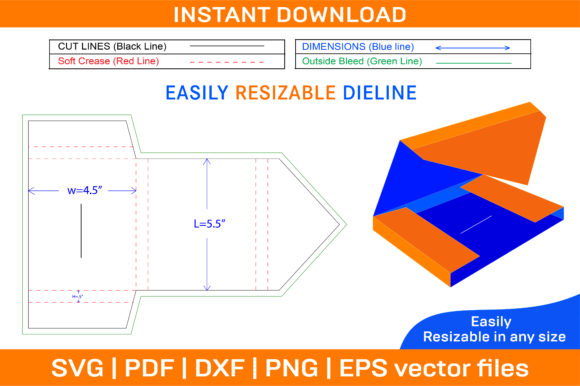
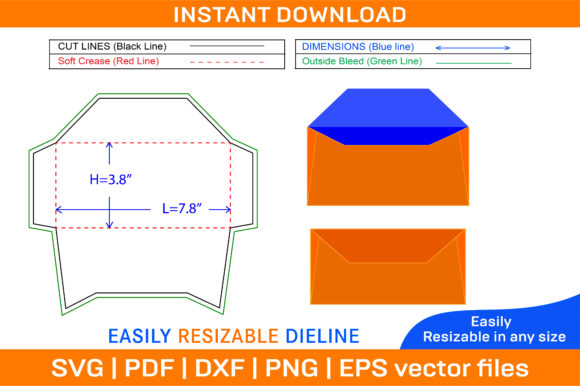
When you first open the ZIP archive containing SVG, PDF, EPS, DXF, AI, PNG files, the structure of the file immediately tells you what it is designed for. It is not merely a flat graphic; it is a structural blueprint. The visual mood created by an envelope-style die cut is inherently nostalgic. It suggests care, personalization, and a slower pace in an era of instant digital consumption. For a brand identity project focused on handmade goods or artisanal products, this style communicates trust and attention to detail.
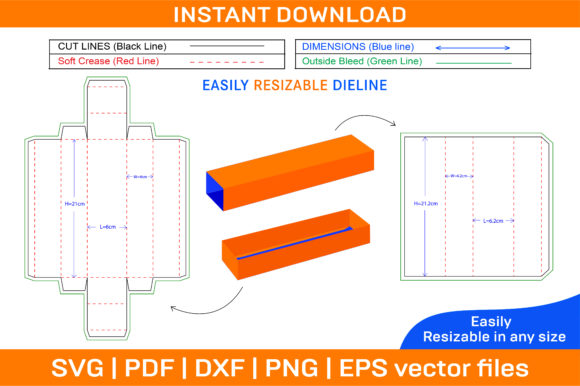
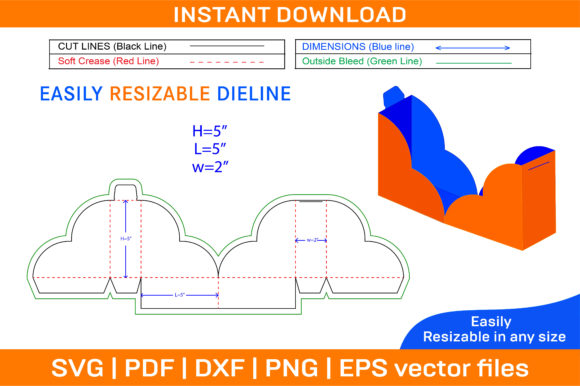
The 3D box design aspect allows us to visualize the final product before a single piece of cardstock is cut. In my workflow, this is crucial. When presenting marketing visuals to clients, showing them a flat vector file often fails to convey the tactile quality of the final item. By using the foldable box template included in the graphics bundle, I could generate a realistic preview. This helped the client understand how their logo and color palette would wrap around the edges, ensuring the brand consistency remained intact across all surfaces.
Performance in Real Design Situations
While the primary function of this asset is packaging design, its versatility extends further. As a designer working with various mediums, I tested how this graphic design asset performed in different contexts.
- Packaging Details: This is the strongest use case. The die-cut lines are precise, making it ideal for creating custom boxes for jewelry, small electronics, or specialty food items. The ability to edit the vector paths in Adobe Illustrator meant I could adjust the dimensions to fit the client’s specific product size without losing resolution.
- Social Media Graphics: We used the 3D mockup generated from the template for Instagram posts and Pinterest pins. The clean lines of the envelope shape provided a strong focal point against a busy background. It served as a perfect anchor for social media graphics, drawing the eye directly to the product being promoted.
- Print-on-Demand Products: For our print-on-demand strategy, we adapted the envelope concept for printable wall art and greeting cards. The printable design nature of the template allowed us to create a cohesive collection. Customers could buy the physical box or download a digital version for their own crafting projects, expanding the revenue stream.
- Cricut Projects: For clients who prefer DIY solutions, the DXF and SVG formats are perfectly optimized for cutting machines. I verified that the cut lines were distinct from the bleed areas, which is essential for successful Cricut projects involving vinyl or cardstock.
Where the Asset Works Best
In terms of layout strategy, this asset thrives in large layout areas and hero graphics. Because the envelope shape is geometrically simple yet visually engaging, it works beautifully as a container for text or imagery. I placed the client’s product photography inside the "flap" area of the digital mockup, creating a layered effect that added depth to the composition.
It is also highly effective for themed collections. If you are designing for a seasonal campaign, such as Valentine’s Day or Christmas, the envelope motif naturally aligns with themes of giving and correspondence. Using this design bundle ensures that your creative marketplace listings look uniform and professional. Whether you are selling on Etsy or running a standalone e-commerce site, having a consistent visual language helps build visual trust with your audience.
Areas Requiring Careful Consideration
However, no asset is universally perfect. There are specific scenarios where this template requires careful handling. In minimalist branding, where every pixel must earn its place, the structural complexity of a die-cut box might feel cluttered if not simplified. If your brand relies on extreme minimalism, you may need to strip away decorative elements and focus solely on the silhouette.
Additionally, be cautious when using this asset in crowded layouts. If the envelope graphic is competing with multiple other elements, the visual hierarchy can become confused. The human eye needs a clear path to follow. Placing this asset on complex backgrounds or in low-contrast designs can cause the details of the die-cut to get lost. I recommend testing the asset in black and white first. This grayscale check helps identify if the shape holds up on its own merit, independent of color appeal.
Practical Designer Notes for Commercial Use
Before incorporating any commercial design asset into a client project, there are technical checks that cannot be skipped. Here is my checklist based on my experience with this specific template:
- File Format Inspection: Verify that the SVG and AI files are fully editable. Sometimes, downloaded assets come as compound paths that are difficult to modify. I opened the file in Illustrator to ensure I could adjust the handle sizes and flap angles.
- PNG Transparency Check: If you plan to use the PNG design for web overlays, inspect the transparency edges. Ensure there is no white halo around the vector shapes, especially if you intend to place it over dark backgrounds.
- Font Compatibility: Typography plays a huge role in the envelope aesthetic. I found that serif fonts enhanced the classic, letter-like feel, while sans serif fonts gave it a more modern, corporate look. Script fonts worked well for handwritten addresses but struggled with legibility at smaller sizes. Always compare these font styles against the graphic to maintain balance.
- Mockup Testing: Never rely solely on the digital vector. Place the design on real-world material mockups. Cardstock texture affects how light hits the folds. A glossy finish will reflect differently than matte paper. This step is vital for accurate product mockup presentations.
- Licensing Confirmation: Finally, always confirm the commercial license terms. While many templates allow for end-product sales, some restrict reselling the template itself. Ensure you are compliant with the creative design usage rights to protect your business.
Final Verdict on Professional Utility
The Gift Box Envelope Type Die Cut Template is more than just a digital product; it is a tool for elevating brand perception. It bridges the gap between digital marketing and physical touchpoints. For designers working in editorial design, web design, or marketing visuals, having access to high-quality structural assets allows for more immersive storytelling.
I found that this template significantly improved the emotional appeal of the client’s project. It transformed a standard product launch into a curated experience. While it requires thoughtful placement and technical verification, the result is a polished, professional output that resonates with customers. For small business owners, crafters, and professional designers alike, this asset proves that thoughtful design details—like the choice of a box shape—can make a lasting impression. It is a reliable addition to any library of design assets aimed at creating memorable modern design experiences.